Setting up Metadata
Metadata lets you capture additional details about each element in your bowtie diagram, such as barrier type, condition, owner, location, and more. With Bowtie Master, you can standardise metadata across all your diagrams for consistency and clarity.
In this tutorial, we’ll walk you through how to create new metadata and link it to existing diagrams using the settings menu.
Create new metadata in the settings menu
Step 1: Go to Settings > Bowtie Master > Metadata.
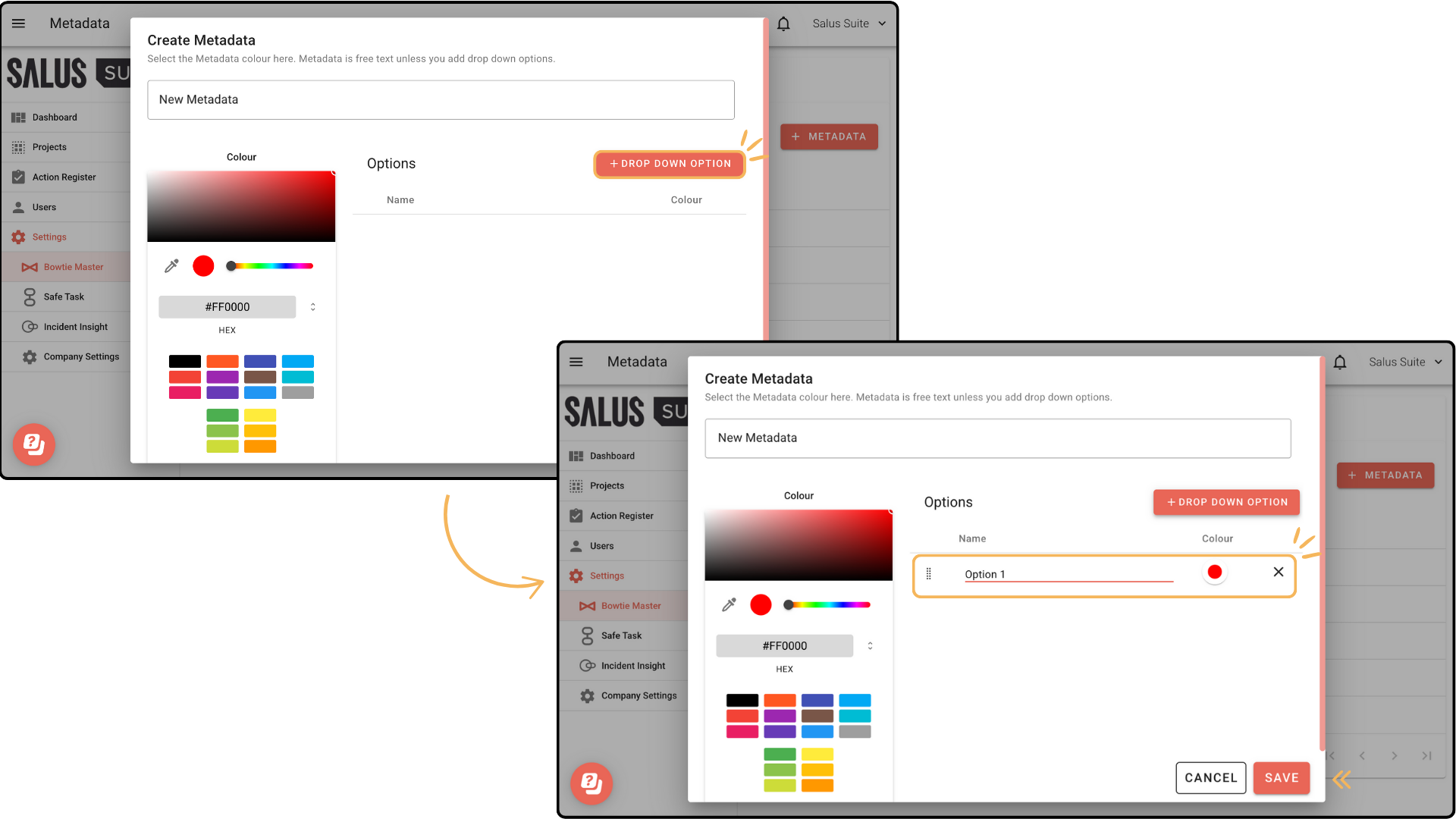
Step 2: Click + Metadata.

Step 3: Enter a name for the metadata and assign a colour.

Step 4: To create a dropdown list of options, click + Dropdown Option. Enter a name and assign a colour for the dropdown option. Click Save.
Linking metadata to diagrams
Step 1: Go to Settings > Bowtie Master > Metadata.
Step 2: Beside the metadata you wish to link, click the Sync button.

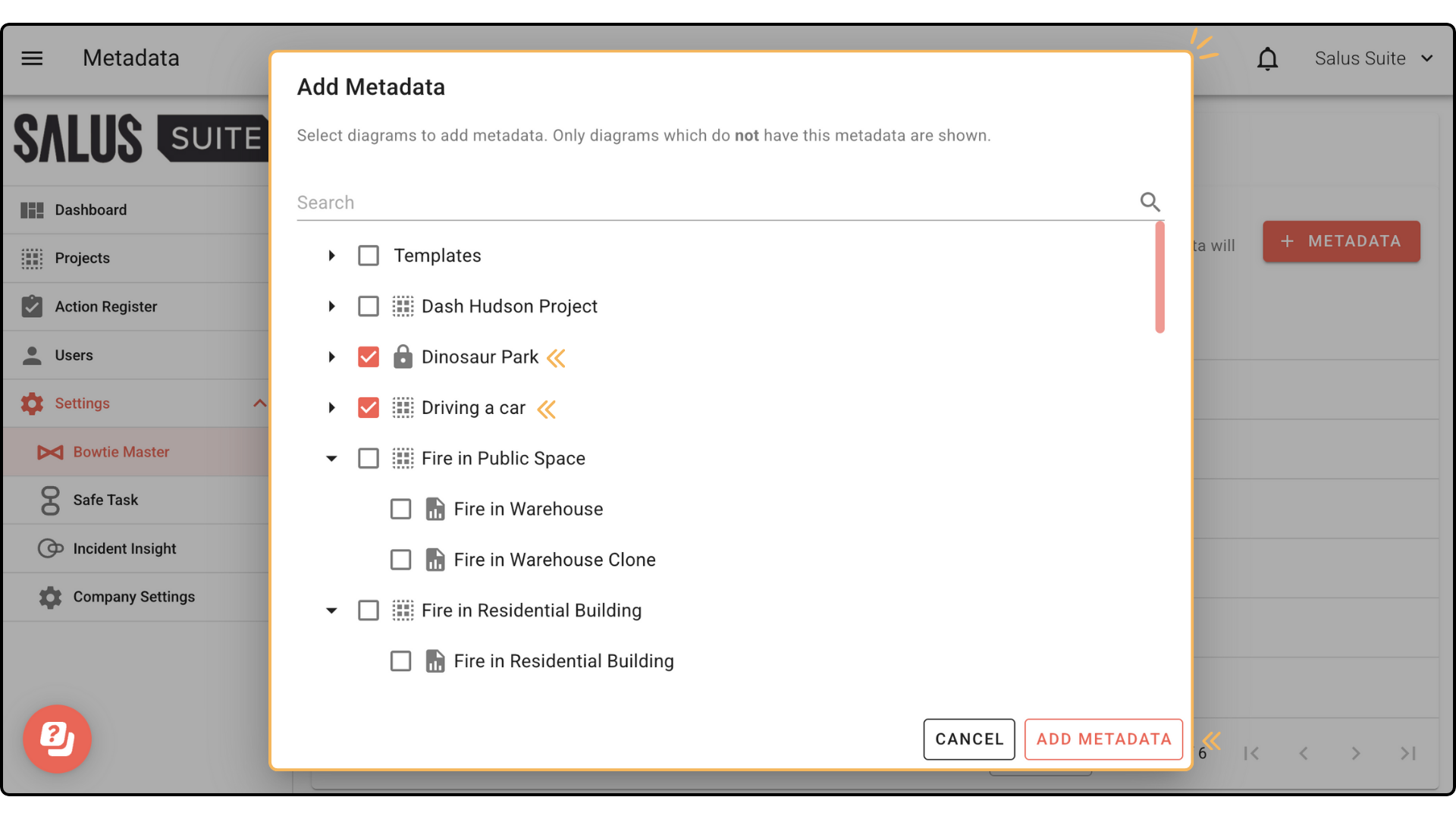
Step 3: In the pop-up, search or select which diagrams you wish to add the metadata to. Click Add Metadata. Only diagrams which do not have the metadata will be shown.