

Download an image or PDF
Bowtie Master allows users to download a bowtie diagram in both PNG or PDF format.
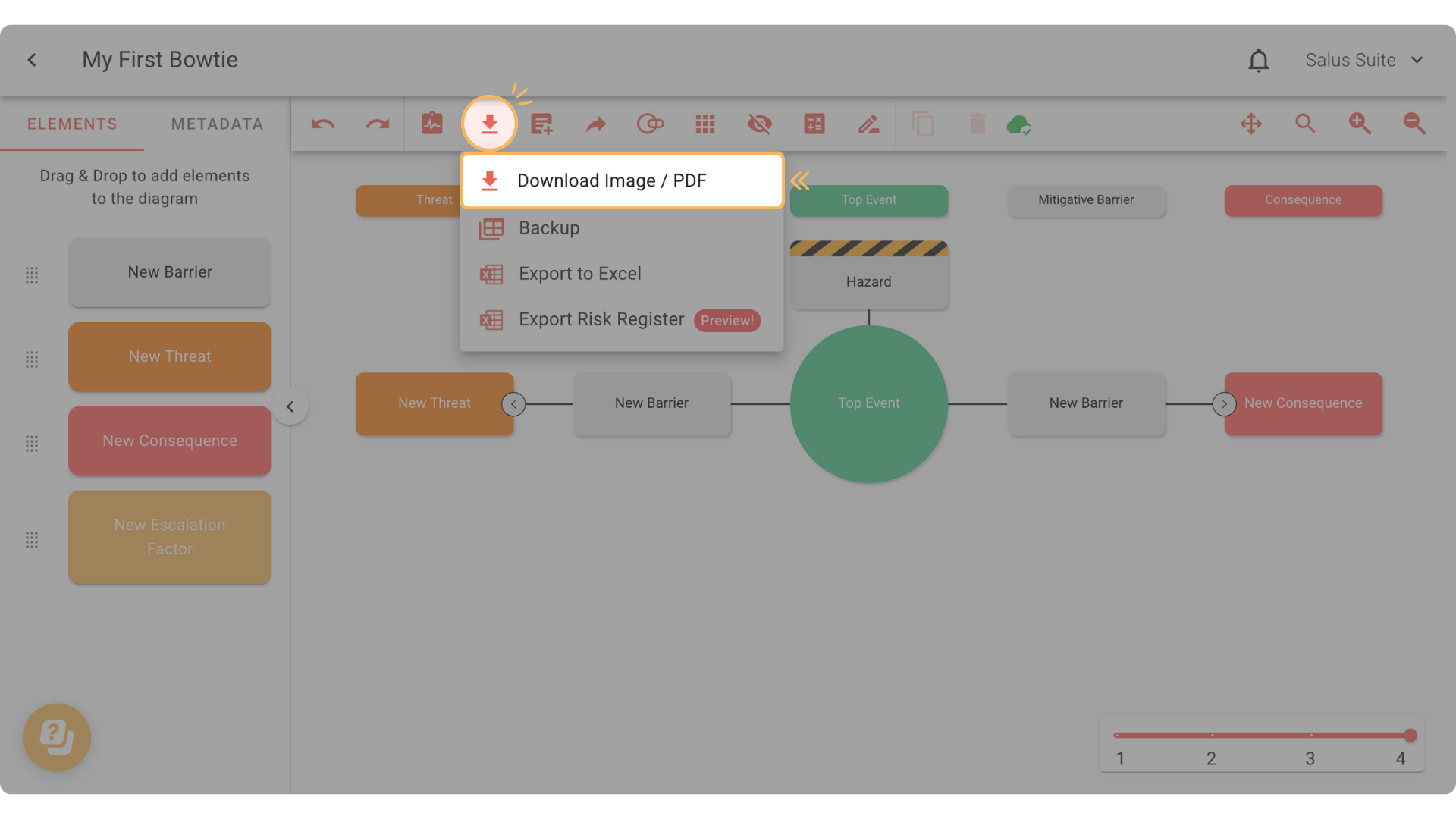
Step 1: In the toolbar, click on the Download Tool, then select Download Image/PDF.
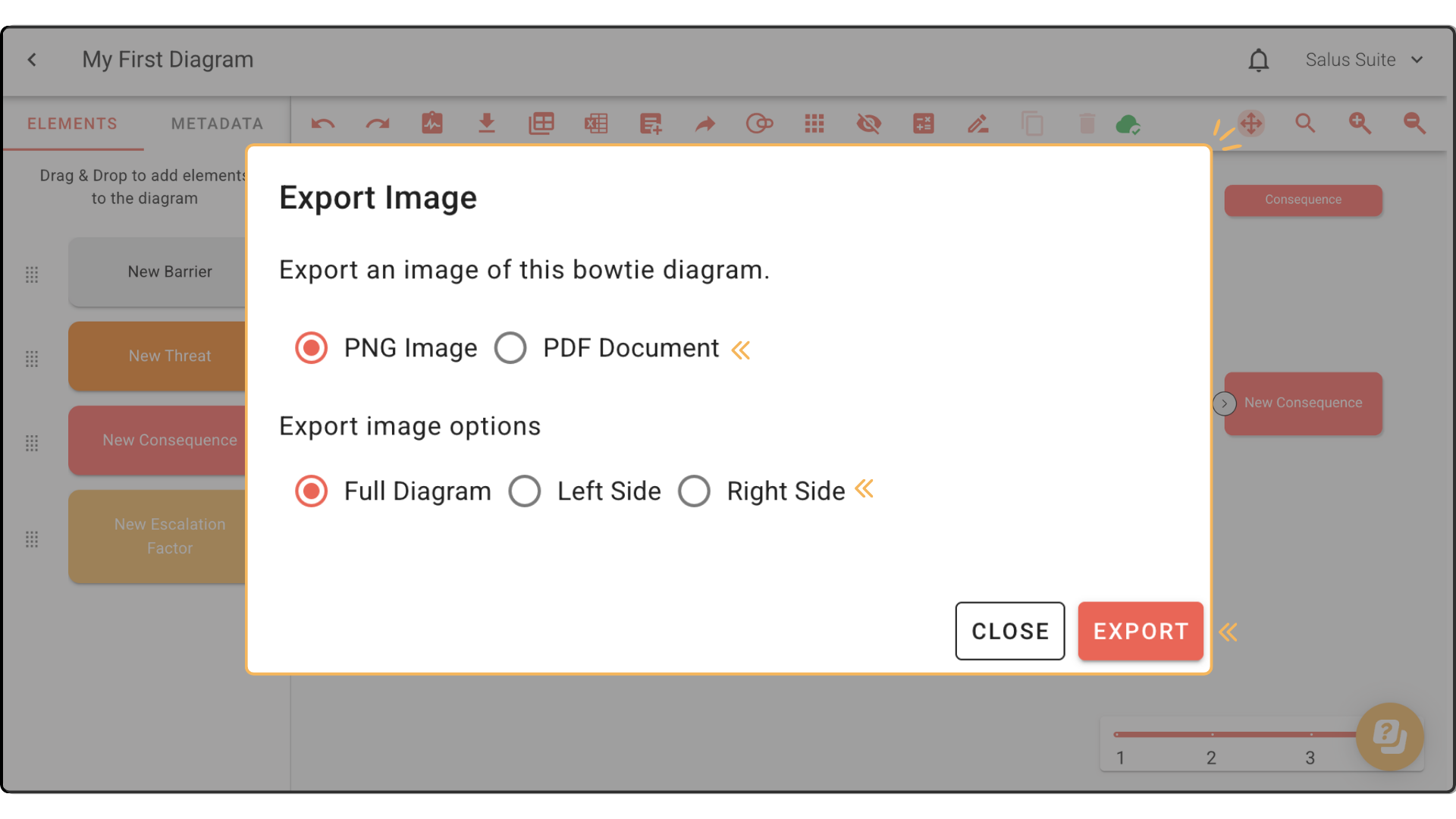
Step 2: Select your preferred format: PNG Image or PDF Format.
Step 3: Select whether you would like to export the full diagram, the left side, or the right side only. Click EXPORT.
NOTE: We have tried to keep our software as simple and initiative as possible, when you are exporting a diagram, the image you see on screen will be reflected in the download.
Example – If you are using Analyse Mode at the time of image export, this will show on the bowtie image download.