View Categories

Change LOPA Settings 

Bowtie Master allows you to edit LOPA settings according to your organisation’s needs. 

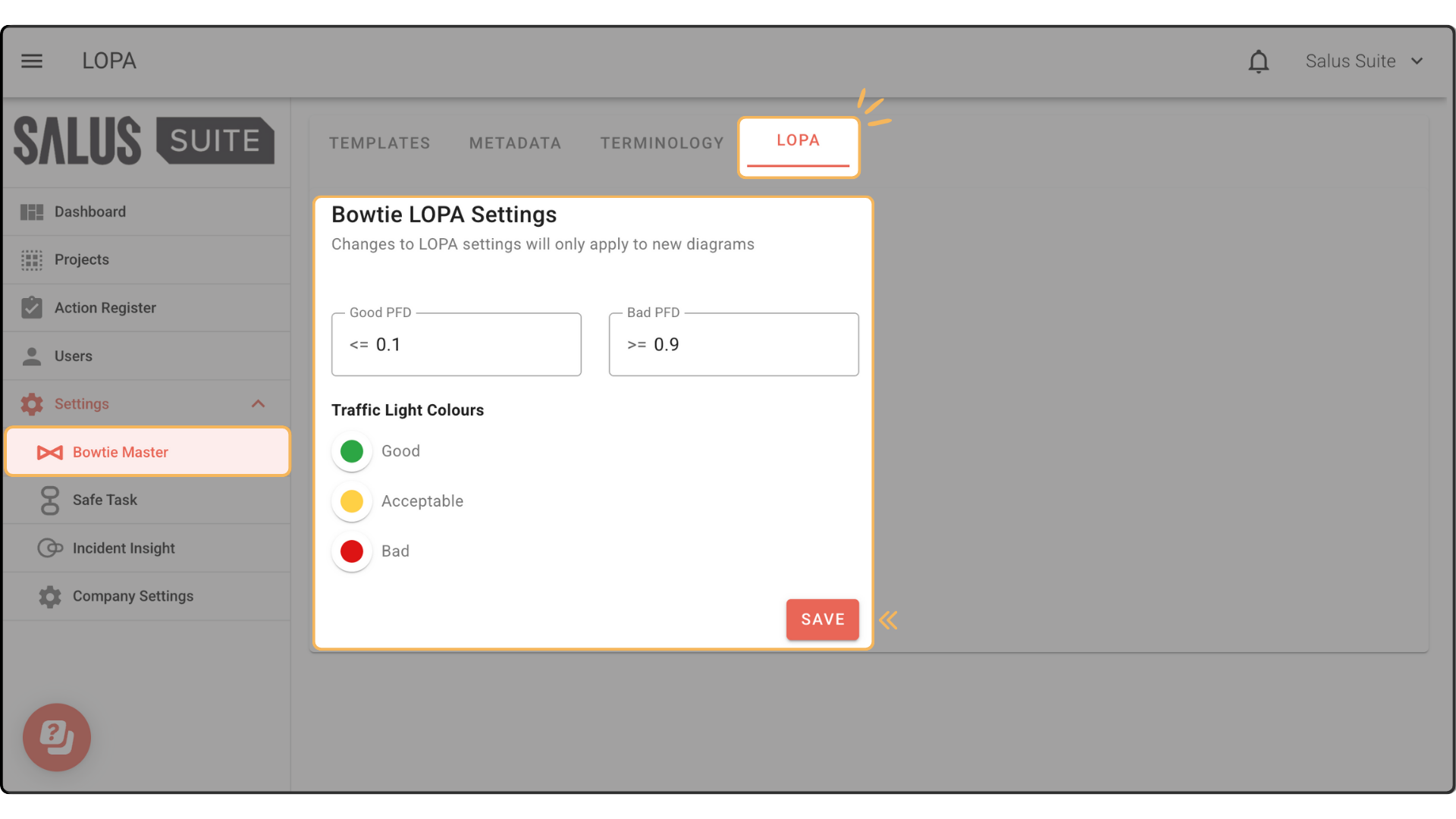
Step 1: Go to Settings > Bowtie Master > LOPA. 

Step 2: Adjust the Good PFD and Bad PFD. Change the traffic light colours. Click Save. 

✕

"*" indicates required fields

This field is for validation purposes and should be left unchanged.

Contact us

Fill out the form below, and we will be in touch shortly.

✕

This field is for validation purposes and should be left unchanged.

Free Excel and PowerPoint Bowtie Diagram Template

Fill out the form below, and we will send you the templates by email.