Risk Register Report
The Risk Register export allows you to turn your bowtie diagram into a structured Excel report, making it easier to analyse barrier information and risk attributes across diagrams.
The export contains two components:
- Risk Register: Captures threats and their associated consequences.
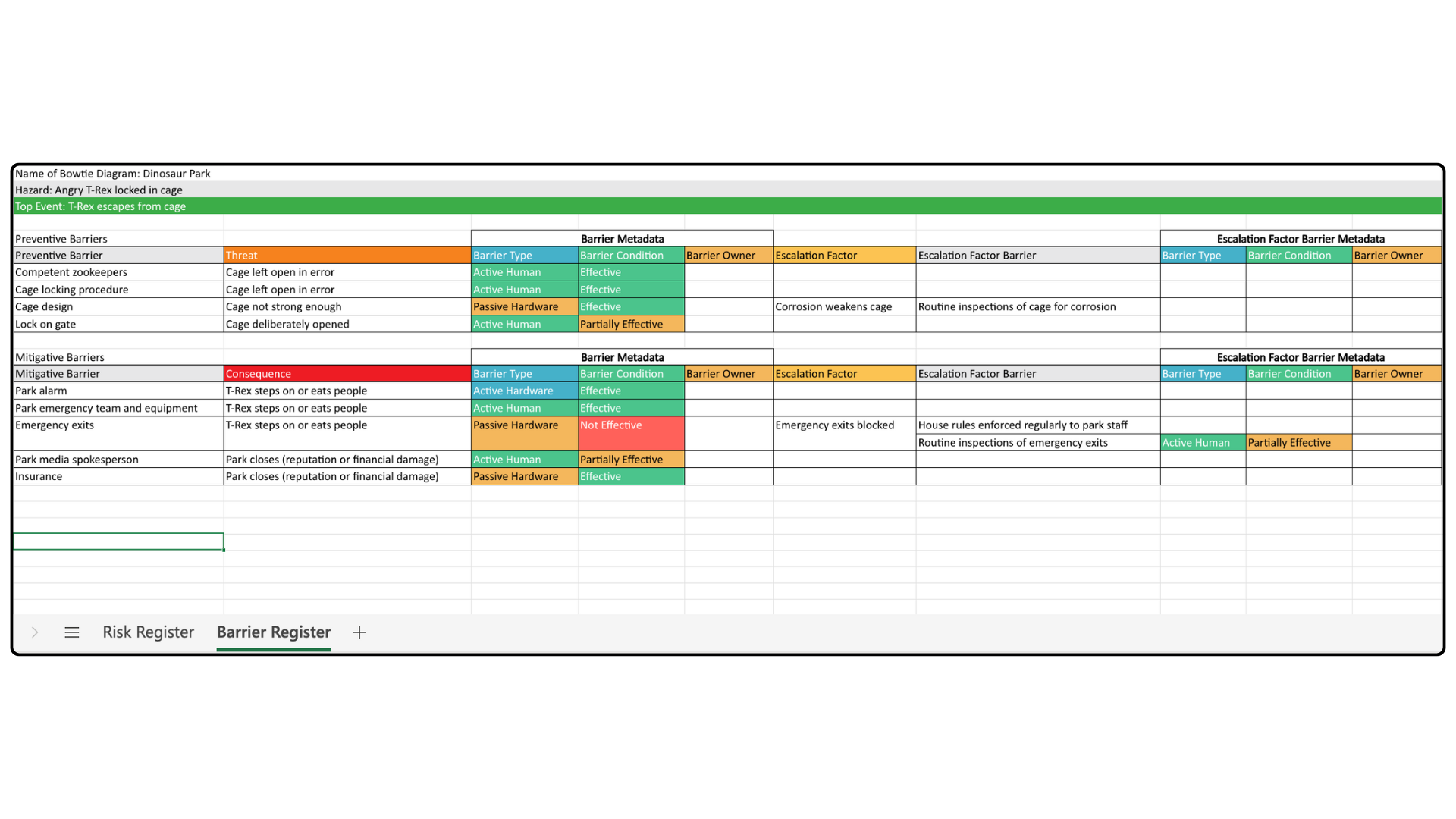
- Barrier Register: Lists all barriers along with their metadata.
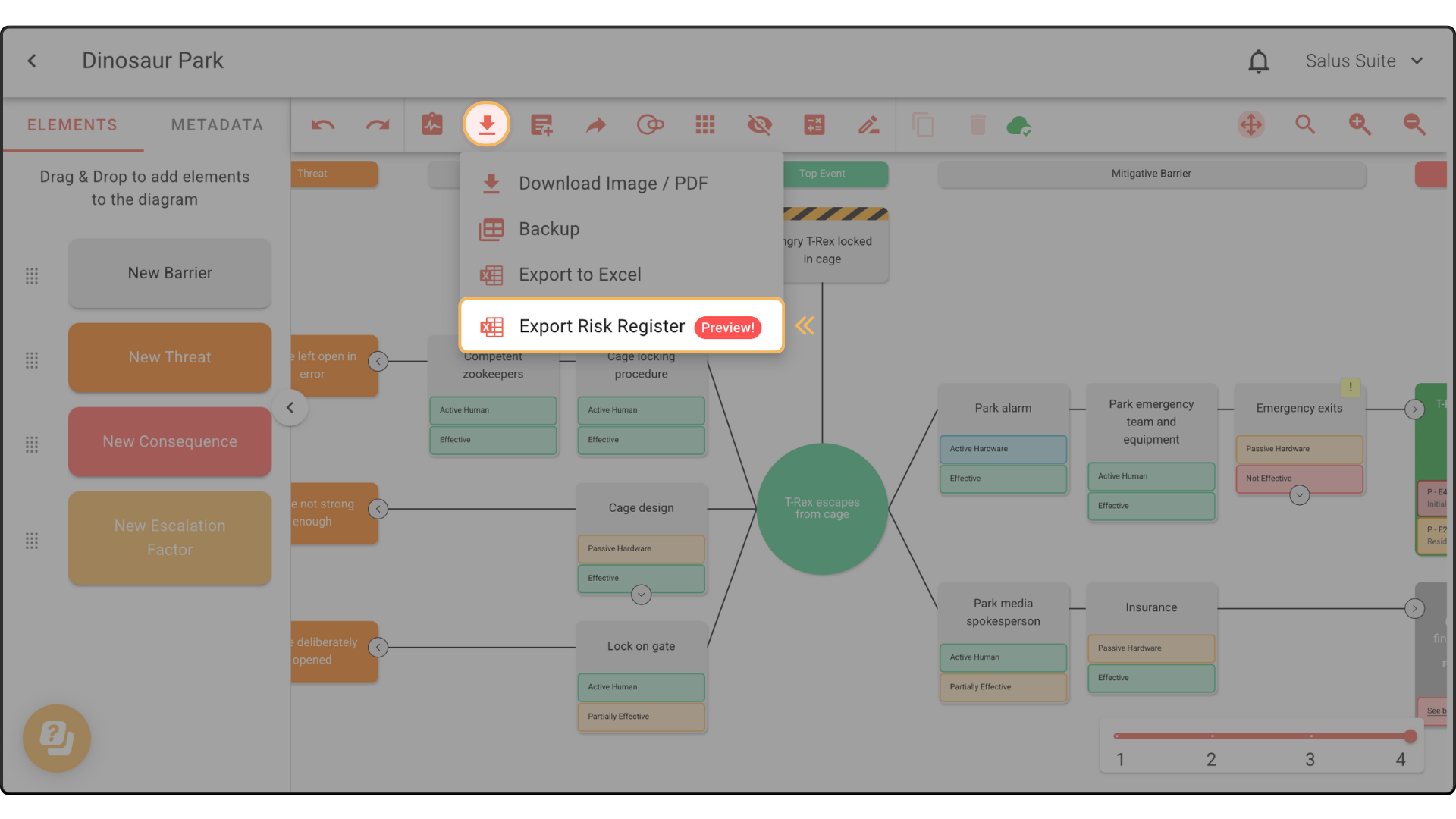
Step 1: In the toolbar, click Download & Export. Then, select Export Risk Register.
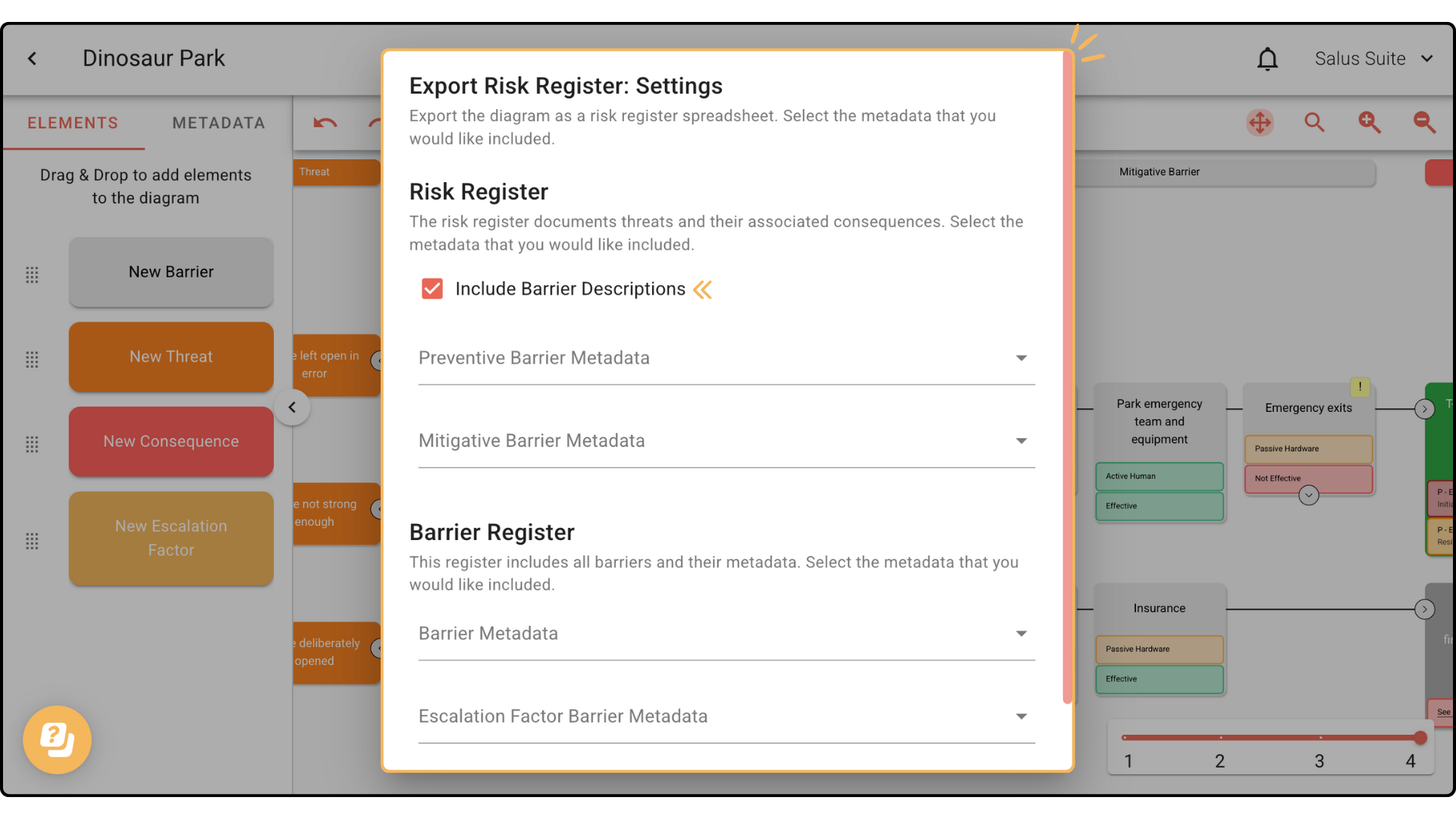
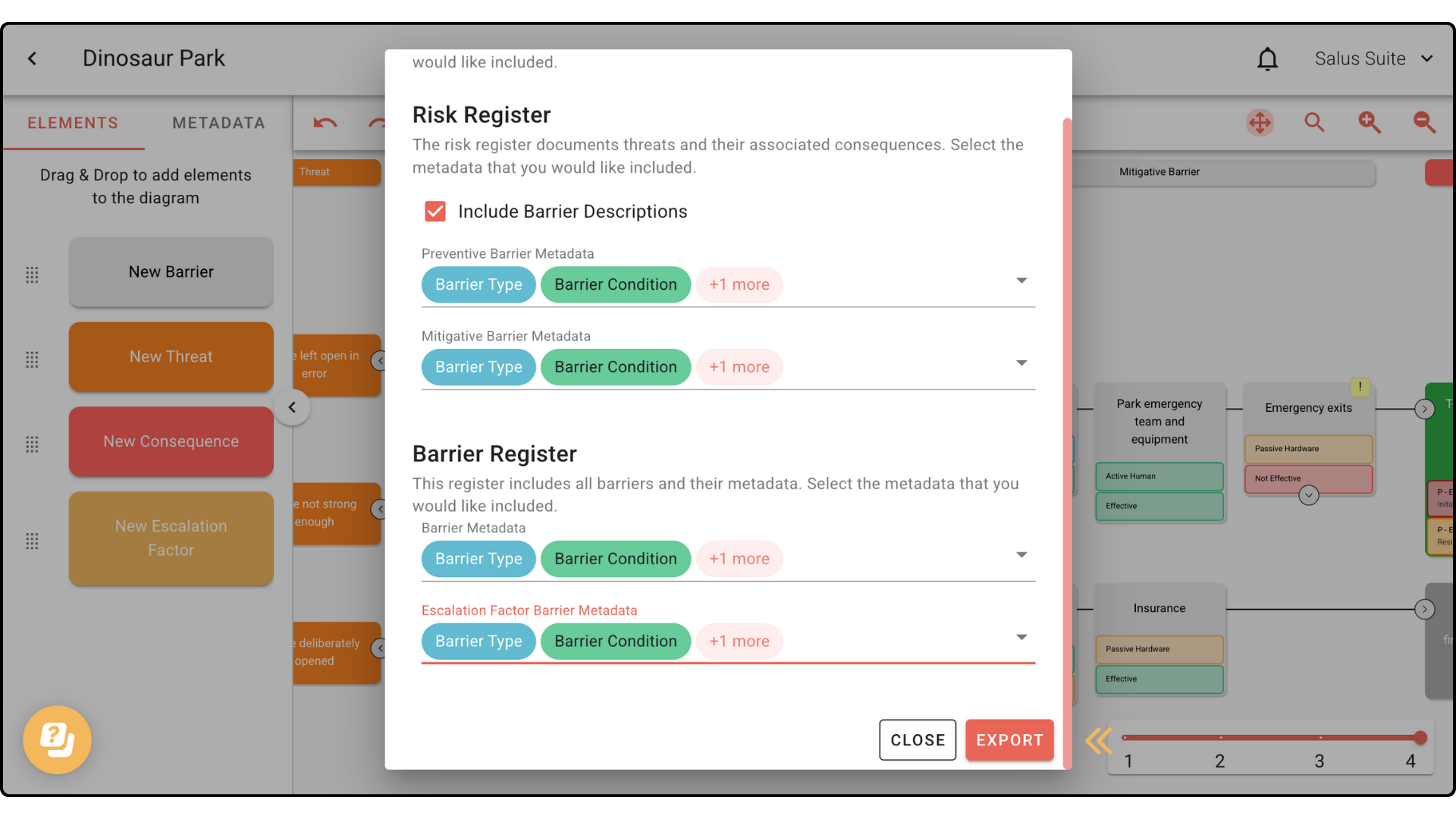
Step 2: In the Export Risk Register: Settings window, you have the option to Include Barrier Descriptions. Doing so will create a column in the spreadsheet showing barrier descriptions.
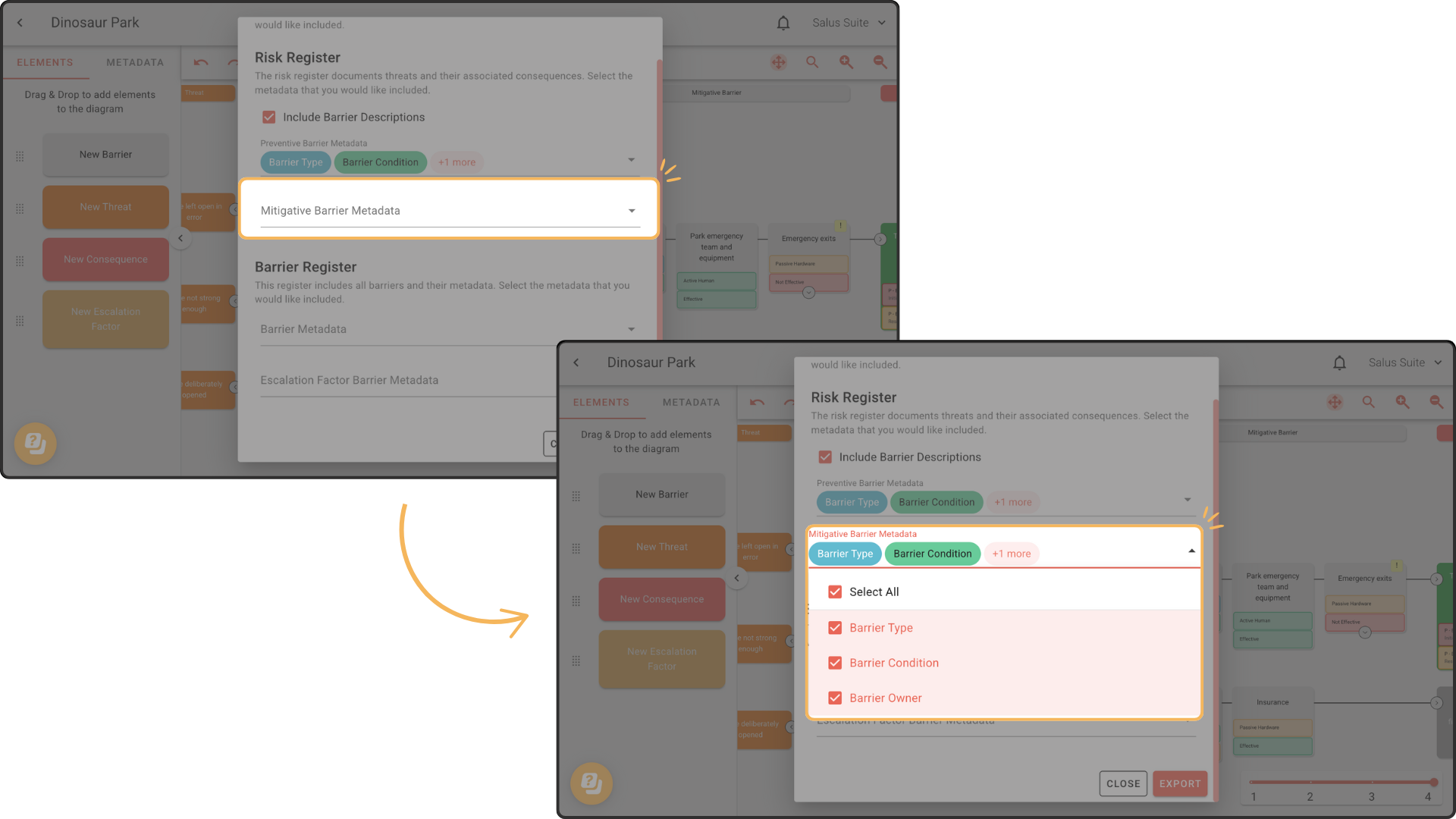
Step 3: From the drop-down menus, choose the metadata you wish to include for Preventive Barrier and Mitigative Barrier. Or, simply choose Select All.
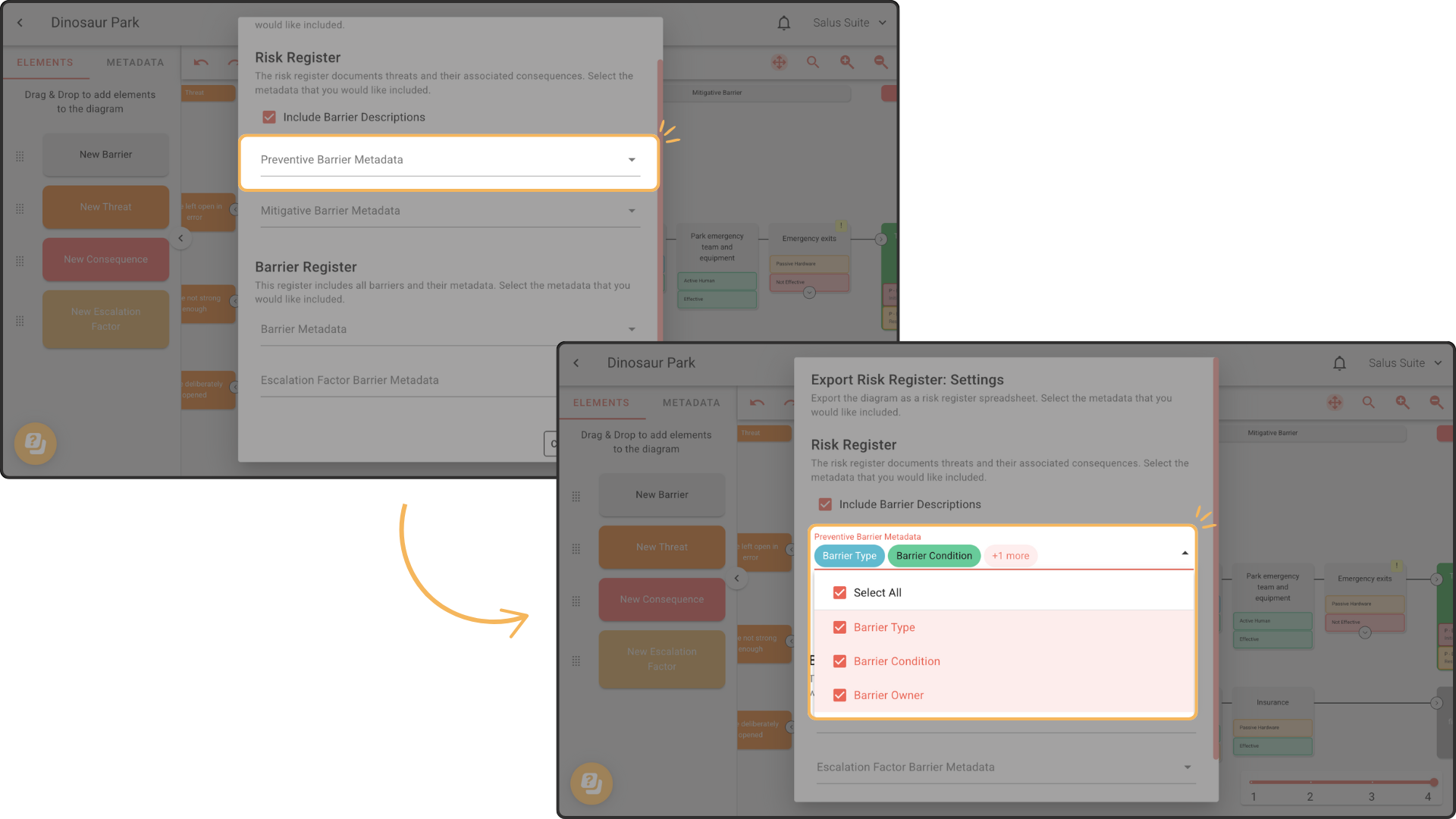
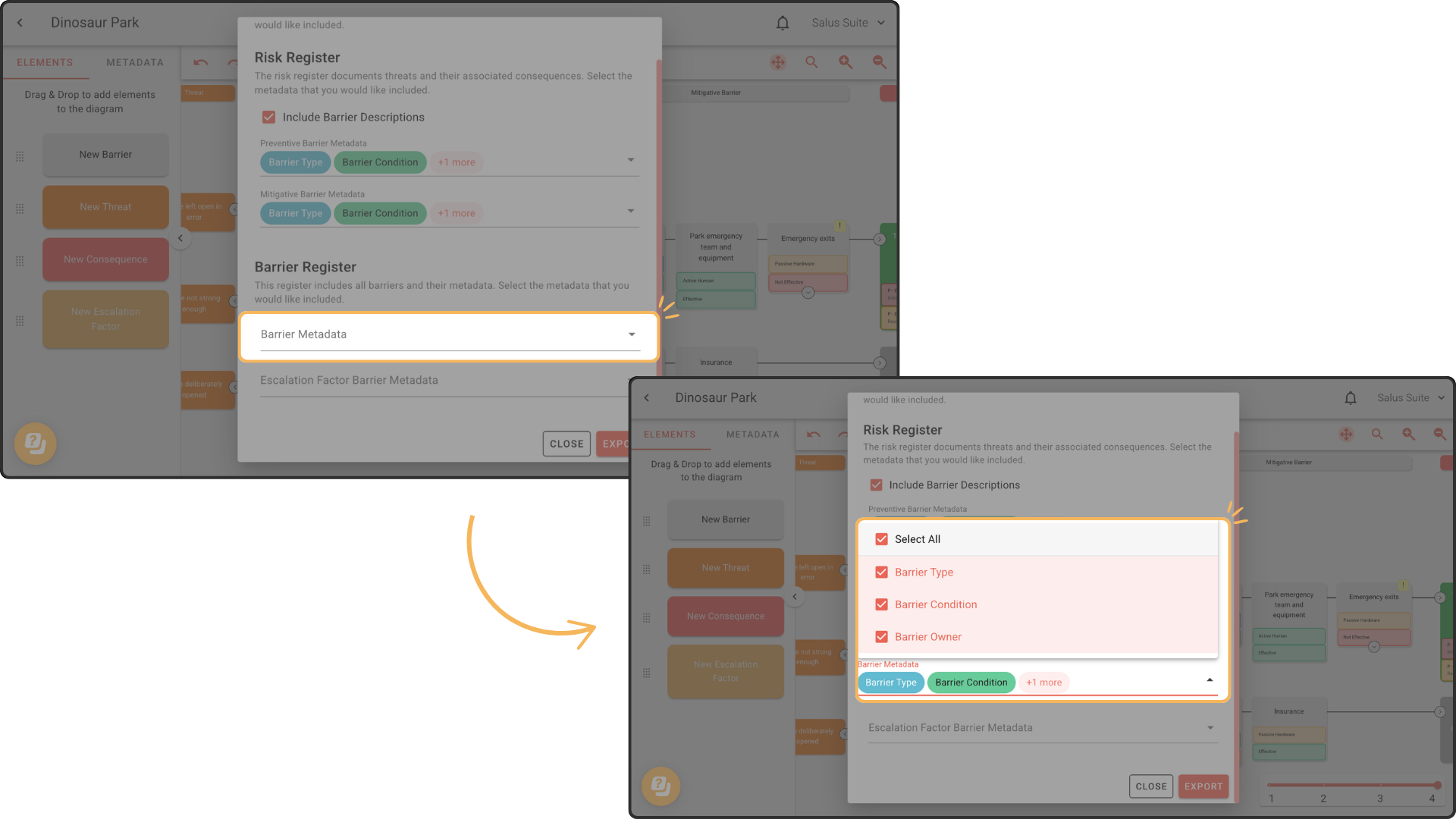
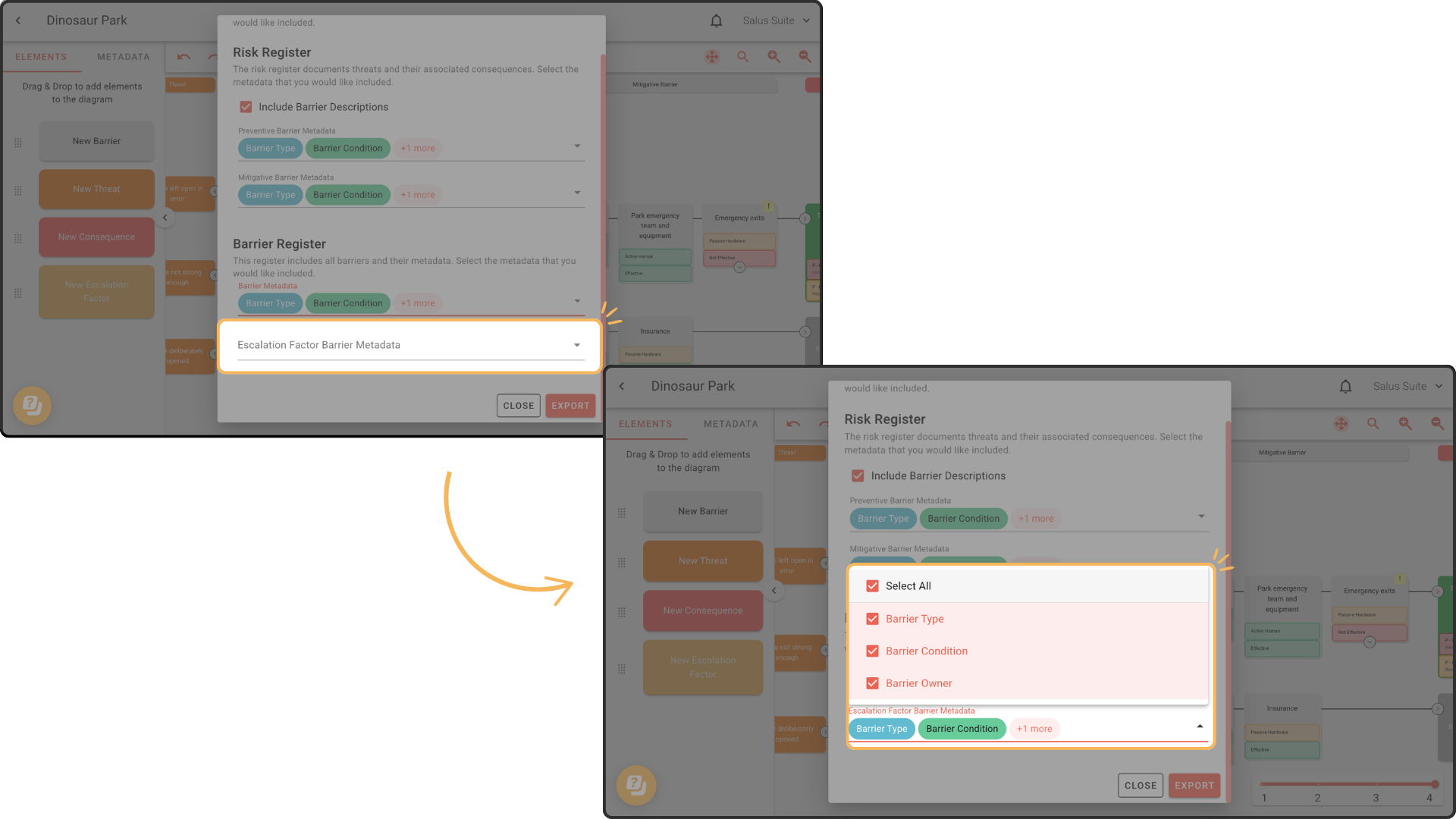
Step 4: From the drop-down menus, choose the metadata you want to include for Barrier Metadata and Escalation Factor Barrier Metadata. Or, simply choose Select All.
Step 5: Click Export.
Your Risk Register report will look like this:
Risk Register Tab:
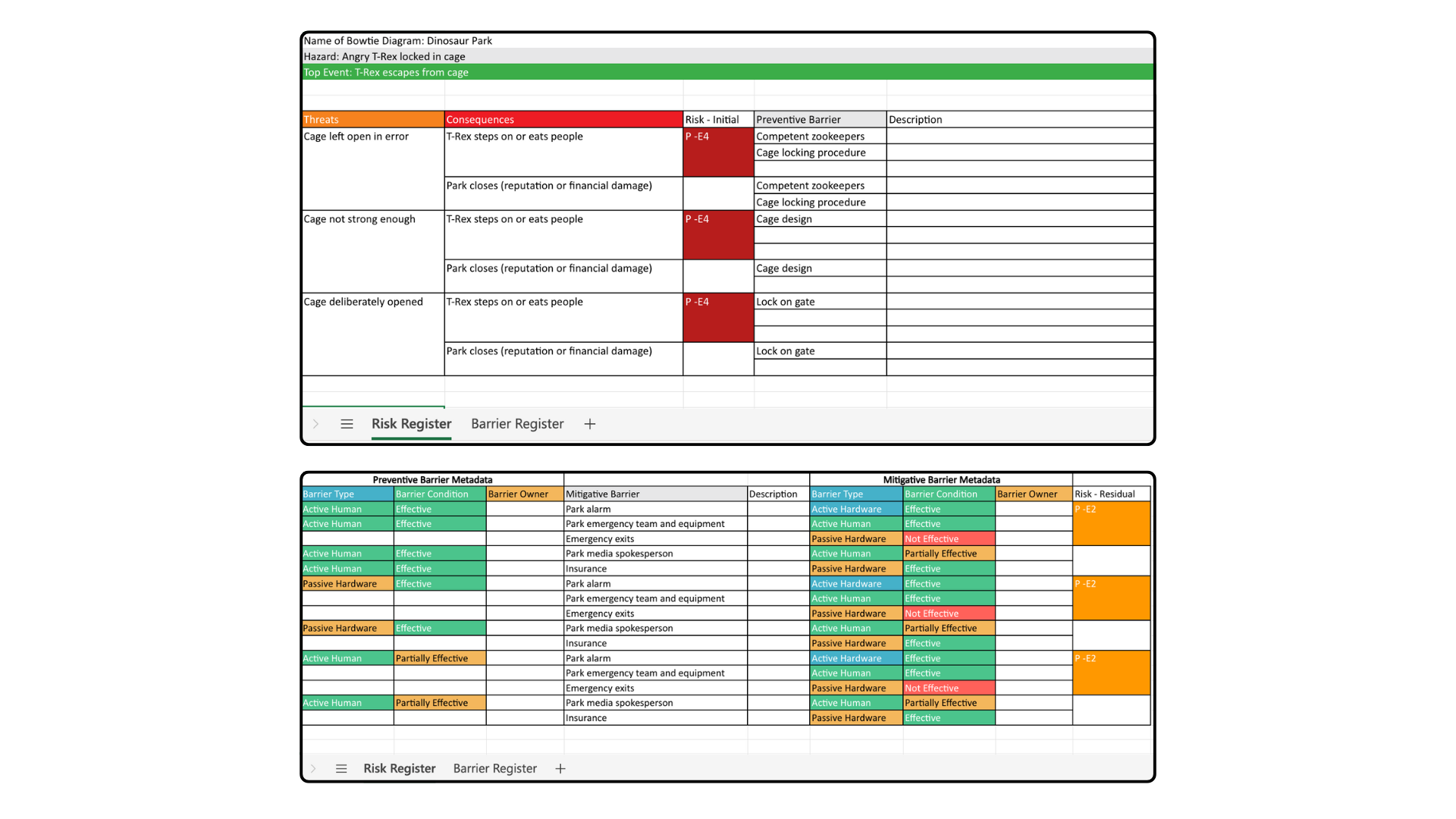
Barrier Register Tab: