


Salus Suite API Key Documentation
This guide is designed to provide you with all the information needed to integrate with our API, allowing you to build and manage your bowtie diagrams effectively. Whether you’re looking to connect bowtie diagrams with Power BI, retrieve information about your diagrams or users, or upgrade your diagrams, this documentation will help you get started quickly.
Contents

Base URL

Authentication

Obtaining your API Key

Errors

Rate Limits
Base URL
All API requests should be made to: https://publicapi.salus-suite.com/api
Access our keys here: Swagger documentation
Authentication
To make API requests, you’ll need to authenticate using an API key. Include your API key in an HTTP header with each request like so:
X-API-KEY: YOUR_API_KEY
Obtaining your API Key at a glance
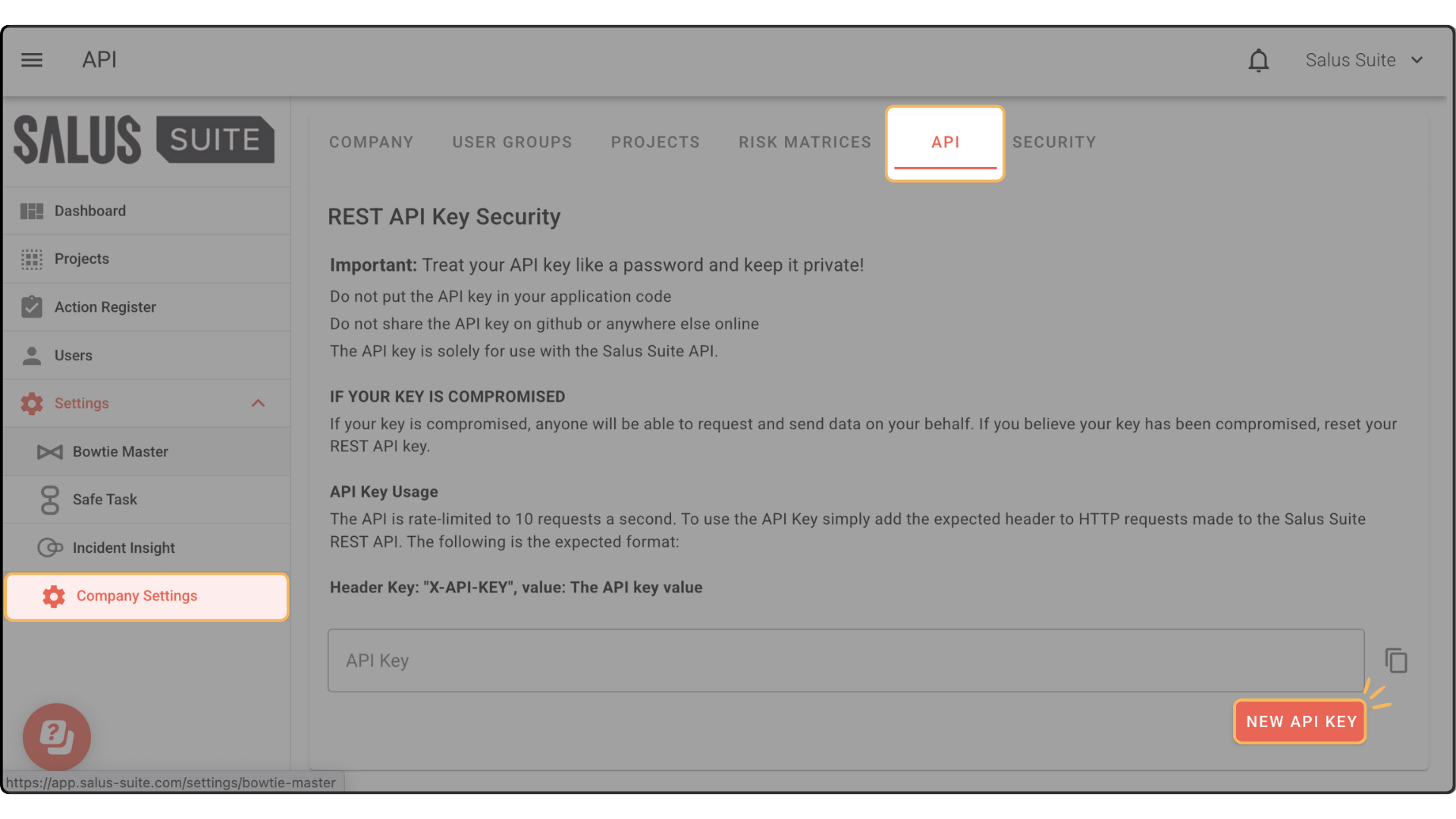
Step 1: To generate a new API Key, go to Settings > Bowtie Master > API.
Step 2: Click on New API Key. A New API Key will be generated.
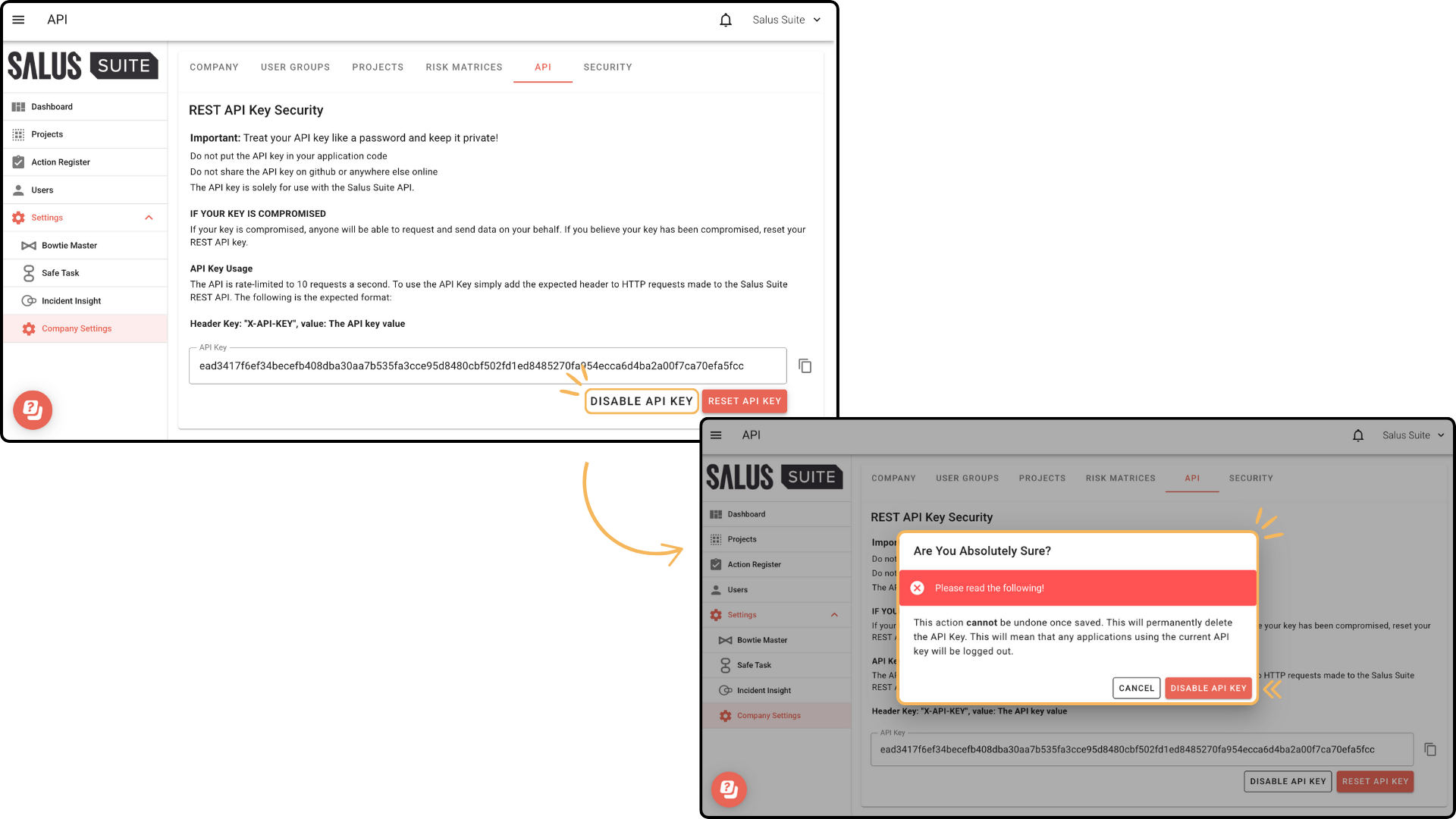
Step 3: To disable the API Key, click Disable API Key. In the warning message, click Disable API Key. Any applications currently using this API key will be logged out.
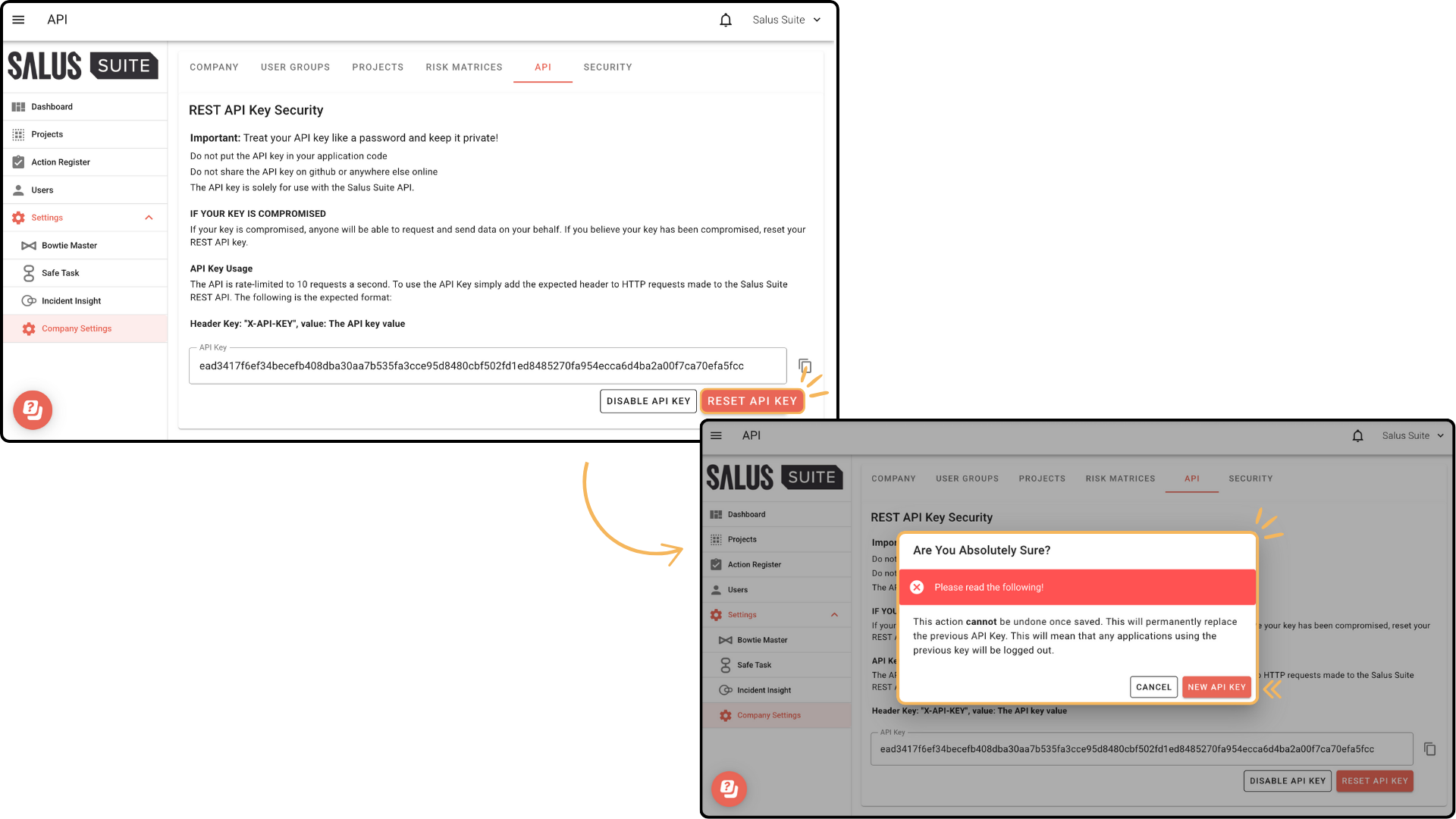
Step 4: To reset the API Key, click Reset API Key. In the warning message, click Reset API Key. Any applications currently using this API key will be logged out.
Errors
Our API uses conventional HTTP Response Codes to indicate the success or failure of an API request.
Here are the types of responses you might receive:
-
200 OK - The request was successful.
-
400 Bad Request - There was an issue with the request (missing parameters or invalid data).
-
401 Unauthorized - Your API key was missing or incorrect.
-
404 Not Found - The requested resource does not exist.
-
500 Internal Server Error - We had a problem with our server. Try again later.
Rate Limits
To ensure the quality of our services, we implement rate limiting. If you exceed the number of allowed requests, you will receive a 429 Too Many Requests response. Please contact support if you consistently hit these limits. The API is rate-limited to 10 requests a second.


